

The core prompt engineering skills for professionals boil down to three habits: structuring every request with Context, Task and Format, refining prompts through deliberate iteration rather than one-shot guessing, and checking outputs against a simple rubric before you trust them. Prompt work is one slice of broader AI literacy, and the wage gap between casual AI users and confident ones is wide enough to justify learning it properly. Some accredited courses include prompt engineering for professionals who want a structured path instead of trial and error.
Table of Contents
- Core prompt engineering skills every professional needs
- Frameworks that actually change your output quality
- Testing and scoring your prompts before you trust them
- Making prompt skills stick across a team
- The failure modes that catch professionals out
- Building the habit and proving it's working
- Where to build these skills properly
- Sources
- FAQ
Core prompt engineering skills every professional needs
Most people who struggle with generative AI aren't dealing with a bad model. They're giving it a bad brief. The fix is the same discipline you'd use briefing a new graduate: tell them what they need to know, what to do, and what the finished thing should look like.
That's the Context, Task, Format structure that Layer3Labs built its whole business framework around, and it works because it forces you to front-load the information the model can't guess.
A short checklist you can run through in under a minute before hitting enter:
- Context: background the AI needs (audience, purpose, prior decisions, tone of voice)
- Task: one clear instruction, not three bundled together
- Format: exact output shape (bullet list, table, 150-word summary, email draft)
- Constraints: what to exclude, and an explicit "don't invent missing details" instruction
- Persona: the role and expertise level you want it to write from
- Acceptance criteria: what "good" looks like before you ask, not after you read the answer
Treat the first draft as a starting point. IBM's overview of prompt engineering points to iterative testing as a core skill, not an optional extra. Refine the same prompt across two or three turns instead of rewriting it from scratch each time, and keep a short history of what changed.
Frameworks that actually change your output quality
Different tasks need different prompting patterns, and mixing them up is where most professionals lose time.
- Chain-of-thought for anything with logic or numbers. Ask the model to "think step by step" before giving a final answer when you're comparing budget scenarios, checking a calculation, or building an argument with several moving parts. This forces it to show working, which makes errors easier to catch.
- Few-shot prompting to lock in tone. Give two to four examples of the style you want (a past newsletter, a report you liked) and the model imitates the voice far more reliably than if you describe it in adjectives.
- Zero-shot for routine, well-defined jobs. Drafting a standard meeting agenda or a straightforward email doesn't need examples. Save few-shot effort for jobs where tone or structure genuinely matters.
- Persona assignment to set expertise and voice. "Write as a senior compliance officer briefing the board" produces a different, more useful draft than a generic request.
- Format templates you reuse. Build standing prompts for an email reply, an executive brief, a comparison table, or a structured data extract, then swap in new content each time.
In practice, that looks like a marketing coordinator asking for a campaign brief in a fixed template with audience, objective, channel and budget fields; an office manager turning a messy meeting recording into minutes with action items tagged by owner; or an analyst requesting an executive summary of a spreadsheet with the instruction to flag anomalies before summarising trends. Cloud vendors including Google Cloud document these same technique trade-offs, and the common thread is that the right pattern depends on the task, not personal preference.
Testing and scoring your prompts before you trust them
A prompt that worked once isn't a system. It's luck until you've checked it against something consistent.
Gend offers a workable adapted version for busy teams. Score any output on five points:
- Accuracy: does it match the facts you provided, with nothing invented?
- Relevance: does it actually answer the task, not a nearby one?
- Clarity: could a colleague act on it without asking follow-up questions?
- Format compliance: did it follow the structure you asked for?
- Safety and privacy: does it avoid exposing sensitive information or making claims you can't stand behind?
Run quick A/B tests by changing one variable at a time (add an example, tighten the format instruction, swap the persona) and log which version scored higher. For anything involving reasoning, ask the model to show its steps; for anything involving facts, ask it to cite sources or flag uncertainty rather than presenting a guess as settled.
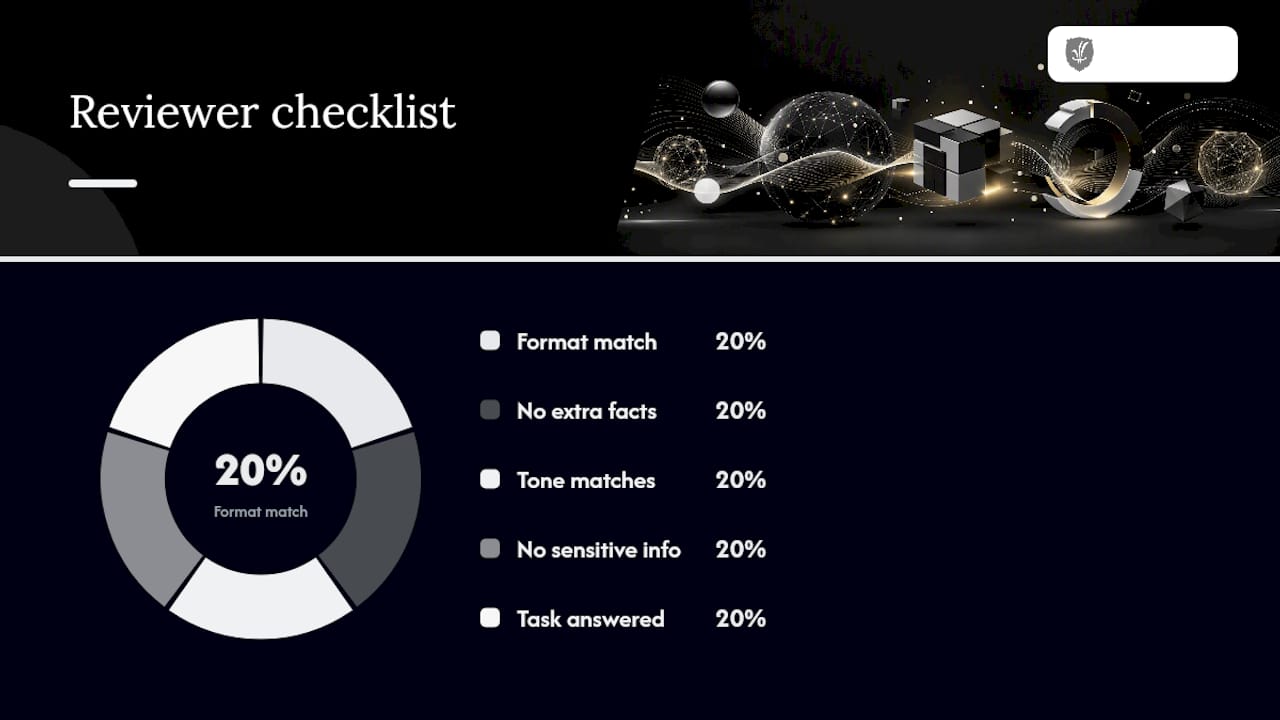
Pro Tip: Keep a five-minute reviewer checklist on hand: check the format matches, check no fact appears that wasn't in your input, check tone against the brief, check nothing sensitive slipped in, and check the task was actually answered. Five minutes now beats an afternoon of rework later.
Making prompt skills stick across a team
One person writing brilliant prompts doesn't help the business if nobody else can find them. Turning individual skill into team capability takes a bit of structure.
- Build a shared prompt library. Name each prompt clearly, version it, and assign an owner responsible for updates.
- Attach acceptance tests to each entry. Note what a good output looks like and who checked the last version, so quality doesn't rely on memory.
- Track who ran what. A simple log of which prompt produced which result gives you basic observability without needing new software.
- Set access rules for sensitive prompts. Anything touching financial data, personal information or legal language needs a rubric and a restricted list of who can edit it.
- Run short, regular practice sessions. A 30-minute workshop every fortnight, built around real prompt recipes, does more than a one-off training day. Prompts treats prompts as versioned assets tied to tests, much like small pieces of software with owners and change logs, which is the mindset that makes a library actually get used.
The failure modes that catch professionals out
Three problems show up again and again, and each has a straightforward fix.
Hallucination happens when a model fills gaps with plausible-sounding fiction. Reduce it by asking for sources or stepwise reasoning, and by explicitly instructing the model not to invent missing details.
Prompt injection is when hidden instructions inside a document or webpage hijack your model's behaviour. Sanitise attachments before pasting content in, avoid feeding untrusted text directly into a system prompt, and lock core instructions so a pasted document can't override them.
Brittle, bundled prompts fail because they ask for three things at once. Split multi-task requests into separate prompts and state what to leave out, not just what to include.
Never paste personal or client information directly into a general AI tool. Use attachments, secured internal systems, or disidentified placeholders instead.
Building the habit and proving it's working
Skill here comes from short, regular reps, not marathon sessions. A simple four-week plan: spend 10 to 20 minutes a day rewriting one real work task as a CTF prompt, then do a five-minute weekly review of what worked.
Run a small pilot on one recurring task (a weekly report, a client email template) and measure time saved or the number of revision rounds it took before and after. Deloitte and RMIT's research links advanced AI literacy to a wage uplift of roughly $11,000 a year for Australian workers, and only a small share of workers currently reach that advanced tier despite most having used an AI tool at least once. That gap is where the opportunity sits.
Document your prompts and results. They're useful evidence in a performance review or a learning portfolio, and they turn scattered experiments into something you can point to. Short courses build the basics quickly; a full accredited diploma suits anyone wanting to go deeper than day-to-day practice allows. Tools like Otto also show how conversational AI assistants apply these same prompting principles in a live work context, which is a useful way to see the habits in action outside a training environment.
Where to build these skills properly
Practising prompts solo gets you partway. Structured study gets you the rest of the way, with a recognised outcome to show for it. CTDI's Diploma of Artificial Intelligence is a nationally recognised, fully online course built for working professionals who want practical AI skills without pausing their career to study.

The course is self-paced and structured to help students apply what they learn directly to workplace tasks as they go. If your prompt work sits mostly in marketing, CTDI's Advanced Diploma of Digital Marketing folds AI-assisted content and campaign skills into a broader marketing qualification. Both sit alongside CTDI's Certificate IV in Environment Sustainable Management in a course catalogue built around flexible, accredited pathways for career changers and working professionals. You can read the full course details and enrol whenever you're ready to move from ad-hoc practice to a recognised qualification.
Sources
- AI literacy deficit costs Australia — RMIT/Deloitte (2026)
- What is prompt engineering? — IBM
- Prompt engineering for business — Layer3Labs
- Gend
- Prompts
FAQ
What are the most important prompt engineering skills for professionals?
The essentials are structuring requests with Context, Task and Format, refining prompts through iteration rather than starting over, and checking outputs against a simple rubric covering accuracy, relevance, clarity, format and safety. IBM's overview frames these as the practical skill set behind reliable prompting.
Do I need to learn to code to get good at prompt engineering?
No. Prompt engineering for workplace tasks is a communication skill, not a programming one. It relies on giving clear instructions, examples and constraints in plain English.
How long does it take to get noticeably better at prompting?
Short, regular practice tends to beat occasional long sessions. A few weeks of daily 10 to 20 minute exercises on real work tasks, reviewed weekly, is enough to build a habit you can apply consistently.
Does CTDI offer a course that covers prompt engineering skills?
CTDI's Diploma of Artificial Intelligence is a nationally recognised online course covering practical AI skills, including prompt-based work, for professionals wanting a structured, accredited learning pathway. Current pricing is available on the enrolment page rather than listed here.
What's the biggest mistake professionals make with AI prompts?
Bundling several tasks into one request and skipping format instructions. Splitting requests into one task at a time, and stating the exact output format upfront, fixes most of the inconsistent results people blame on the AI itself.
Recommended
- Upskilling tips for professionals: 2026 guide
- How to design corporate learning paths that work
- Career development strategies for 2026 success
This article provides general information only. Course requirements, study pathways, credit arrangements and career outcomes may vary. Always confirm current requirements with the relevant education provider or authority.