

TL;DR:
- Online staff training leverages digital platforms to build employee skills efficiently, offering scalability, flexibility, and cost savings. Successful programmes combine microlearning, social accountability, and continuous measurement, emphasizing social architecture over technology. The hybrid asynchronous-synchronous model and ongoing microlearning are essential for engaging modern remote teams effectively.
Online staff training is a structured approach that uses digital platforms and e-learning methods to build employee skills at scale, without the cost or logistics of traditional classroom delivery. The industry term for this practice is workplace e-learning, and it sits at the centre of modern workforce development strategy. Online and in-person training yield roughly equal learning outcomes, but online training wins decisively on scalability, flexibility, and cost. This guide to online staff training walks HR managers and business owners through every stage: from choosing tools and designing content, to measuring real business impact.
What does a guide to online staff training actually cover?
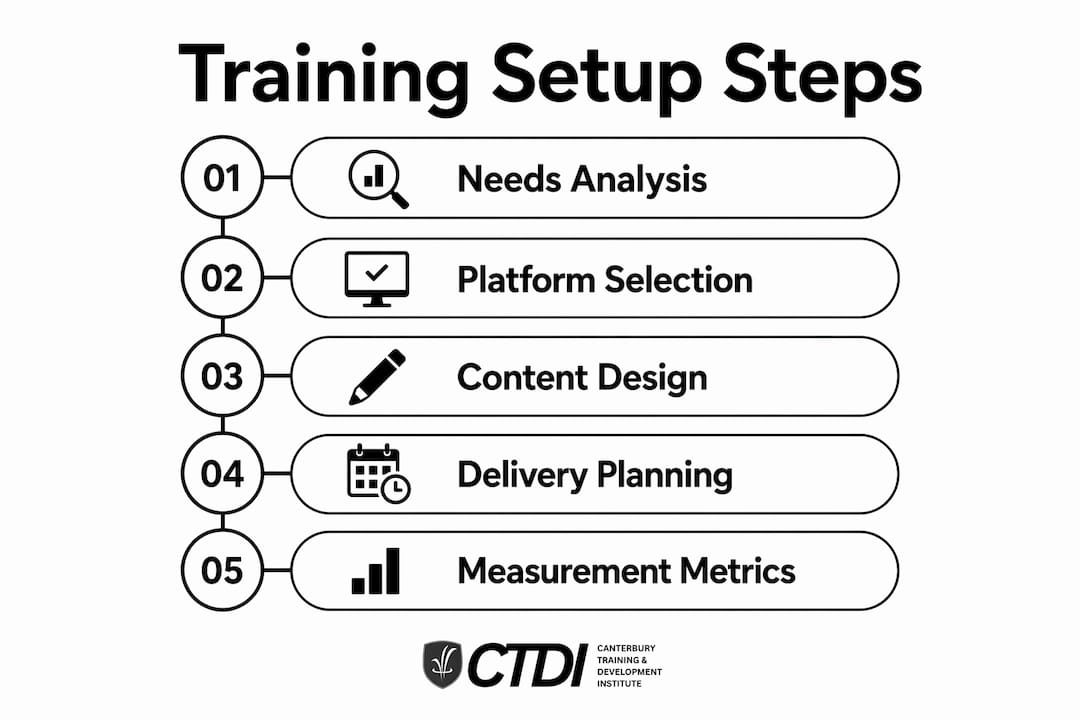
A complete online employee training guide covers six core areas: needs analysis, platform selection, content design, delivery strategy, engagement tactics, and measurement. Miss any one of these and your programme will underperform. The good news is that the framework is repeatable. Once you build it correctly the first time, you can scale it across departments, locations, and roles without starting from scratch.
Why online training outperforms the old model
Shifting to online training can cut overall training costs by up to 50% compared to traditional in-person delivery. That cost reduction comes from eliminating venue hire, travel, printed materials, and facilitator fees. The retention benefit is equally significant. Traditional classroom training produces retention rates of 8–10%, while well-designed e-learning lifts that figure to 25–60%. That gap alone justifies the investment for most organisations.
What tools and prerequisites do you need to start?
The foundation of any successful virtual staff development programme is a clear picture of what your employees actually need to learn. Start with a skills gap analysis before you touch a single platform or content tool. Survey managers, review performance data, and map the gaps to specific business outcomes. Without this step, you risk building training that looks professional but changes nothing.
The core toolkit for online training
Three categories of tools cover most of what you need:
- Learning Management System (LMS): Platforms like Brightspace, TalentLMS, and Docebo host your content, track completions, and generate reports. Choose based on your team size, budget, and integration needs.
- Content creation tools: Loom for screen-recorded video walkthroughs, Google Docs for written SOPs and workbooks, and Canva for visual assets. These three tools alone can produce professional training content without specialist software.
- Communication tools: Slack or Microsoft Teams for cohort channels, announcements, and peer discussion. These are not optional extras. They are the social layer that keeps learners connected.
| Tool Category | Example Tools | Primary Function |
|---|---|---|
| LMS | Brightspace, TalentLMS | Host content, track progress |
| Content creation | Loom, Google Docs, Canva | Build videos, SOPs, visuals |
| Communication | Slack, Microsoft Teams | Cohort channels, peer support |
| Feedback and surveys | Google Forms, SurveyMonkey | Collect learner feedback |
Pro Tip: Build your training documentation in Google Docs first. It is faster to update than video, and it forces you to clarify your thinking before you record anything.
Time and cost to get started
Building a foundational online training programme typically takes 15–20 hours of creation time and reaches break-even after just 2–3 trainees complete it. That break-even point reflects reduced onboarding ramp time and lower turnover costs. For most businesses, the return on that initial investment appears within the first quarter of deployment.
How do you design online training content that actually works?
Effective online training content starts with one principle: shorter is better. Microlearning, which uses short focused lessons, embeds knowledge in the flow of work rather than relying on large workshops that employees forget by Friday. A 10-minute module on handling a customer complaint is more useful than a three-hour course on communication theory.

Asynchronous versus synchronous content
The most effective model in 2026 is async-first with synchronous touchpoints. Asynchronous content, such as pre-recorded videos, written guides, and self-paced quizzes, gives employees flexibility to learn when it suits them. Synchronous touchpoints, such as a weekly 30-minute group debrief on Zoom or Teams, add the social accountability that pure self-paced learning lacks. Neither approach alone delivers optimal results.
Content types that drive retention
Mix these formats across your modules:
- Short video walkthroughs recorded in Loom (5–10 minutes per topic)
- Written SOPs in Google Docs or Notion for reference after the training
- Scenario-based quizzes that test application, not just recall
- Discussion prompts posted in your Slack or Teams cohort channel
- Live Q&A sessions held fortnightly to address real workplace questions
The scenario-based quiz deserves special attention. Instead of asking "What is the refund policy?", ask "A customer requests a refund on day 32 of a 30-day policy. What do you do?" That framing forces employees to think, not just remember. You can find practical examples of this approach in online training programme formats that are already working in 2026.
Pro Tip: Cap every module at 15 minutes maximum. If a topic needs more time, split it into two modules with a clear break point. Learner attention drops sharply after the 12-minute mark.
What are the best delivery strategies for remote team training?
Delivery strategy determines whether your training gets completed or ignored. The three main options are self-paced, cohort-based, and live synchronous. Each suits different contexts, and the best programmes blend all three.
Self-paced delivery works well for compliance training and onboarding reference material. Employees complete it on their own schedule, which respects their time and reduces disruption to operations. The risk is low completion rates without any social pressure or accountability structure.
Cohort-based delivery groups employees into a shared learning journey with a defined start and end date. Dedicated communication channels such as Slack or Teams for training cohorts increase completion rates better than automated reminders alone. The cohort model creates peer accountability that no automated nudge can replicate.
How to run a cohort without burning people out
- Set a clear start date and communicate it at least two weeks in advance.
- Publish a weekly schedule showing exactly what is due and when.
- Create a dedicated Slack or Teams channel for the cohort before day one.
- Assign a cohort facilitator, not just an administrator, to answer questions and spark discussion.
- Schedule one live session per week, kept to 30 minutes, for Q&A and peer sharing.
- Build in a buffer week at the end for catch-up before any assessment.
Pro Tip: Treat your training launch like a product release. Send a pre-launch teaser, a day-one welcome message, and a mid-programme check-in. Training programmes with persistent communication foster peer support and higher success rates.
"The biggest mistake HR teams make is building great content and then doing nothing to support the social experience around it. The content is only half the product." — Learning and Development practitioner insight, 2026
For more practical remote engagement strategies, the corporate training tips for remote teams resource from Edu covers this in depth.
How do you measure whether online training is working?
Measurement is where most online training programmes fall short. Completion rates tell you whether employees finished the course. They do not tell you whether anything changed. Effective measurement requires three time horizons.
Successful programmes monitor behavioural changes at 30 days, proxy indicators at 60–90 days, and business outcomes at 90–180 days. At 30 days, ask managers whether they are observing the trained behaviours on the job. At 60–90 days, check proxy metrics such as customer satisfaction scores, error rates, or sales conversion. At 90–180 days, connect the training to business outcomes such as reduced onboarding time, lower turnover, or improved productivity.
Metrics worth tracking
- Completion rate: Baseline measure. Aim for above 80% for cohort-based programmes.
- Assessment scores: Track pre and post scores to quantify knowledge gain.
- Manager observation ratings: Structured 30-day check-in forms sent to direct managers.
- Business impact indicators: Tie training to KPIs that already exist in your reporting.
- Learner satisfaction scores: Short post-module surveys using a 5-point scale.
| Measurement Stage | Timeframe | What to Measure |
|---|---|---|
| Behavioural change | 30 days | Manager observation, on-the-job application |
| Proxy indicators | 60–90 days | Error rates, customer scores, output quality |
| Business outcomes | 90–180 days | Turnover, ramp time, productivity metrics |
Your LMS reporting dashboard, whether that is Brightspace, TalentLMS, or another platform, will handle completion and assessment data automatically. The behavioural and business data requires a manual process, but it is the data that actually justifies your training budget to leadership.
What common challenges arise and how do you fix them?
The most common failure mode in online staff training is the asynchronous trap. This is what happens when you build a fully self-paced programme with no social structure, no cohort, and no live touchpoints. Learners start strong, fall behind, feel isolated, and quietly disengage. Fully self-paced asynchronous training often fails without synchronous touchpoints due to lack of social accountability.
The second most common problem is treating training as a one-off event. A single induction course or annual compliance module does not build capability. Managers should adopt continuous microlearning to support real-time application rather than relying on large, infrequent training events.
Practical fixes for the most common problems
- Low completion rates: Add a cohort channel in Slack or Teams and assign a human facilitator, not just automated reminders.
- Digital literacy barriers: Record a short orientation video showing employees how to navigate the LMS before the programme starts.
- Manager resistance: Share the 30-day observation framework with managers before launch so they understand their role in the process.
- Content fatigue: Break long courses into weekly microlearning modules and space them out over 4–6 weeks rather than releasing everything at once.
- Lack of face-to-face connection: Blended learning combining online and in-person is considered the gold standard for maximising engagement. Even one in-person session per quarter can significantly lift cohort morale and completion.
Pro Tip: If your completion rate drops below 60%, do not rebuild the content. First check whether employees have a dedicated channel for questions and whether a real person is responding to them. Content quality is rarely the primary cause of low completion.
You can also explore how expert trainers shape online learning outcomes to understand the human element that technology alone cannot replace.
Key takeaways
Effective online staff training requires a structured combination of the right tools, well-designed microlearning content, social accountability structures, and measurement tied directly to business outcomes.
| Point | Details |
|---|---|
| Start with a skills gap analysis | Map employee skill gaps to business outcomes before selecting any platform or content tool. |
| Use the async-first hybrid model | Combine self-paced content with weekly synchronous touchpoints to balance flexibility and accountability. |
| Build cohort channels from day one | Dedicated Slack or Teams channels improve completion rates more than automated reminders. |
| Measure at three time horizons | Track behavioural change at 30 days, proxy indicators at 60–90 days, and business outcomes at 90–180 days. |
| Treat training as a continuous product | Ongoing microlearning embedded in the workflow outperforms one-off training events every time. |
What i have learned from watching online training programmes succeed and fail
After observing dozens of online training rollouts across industries, the pattern that separates the programmes that stick from those that quietly die is not the platform or the content quality. It is the social architecture around the learning.
The organisations that get the best results treat their training launch the way a product team treats a software release. There is a pre-launch communication, a day-one welcome, a mid-programme check-in, and a post-programme debrief. The content is almost secondary to that communication rhythm.
The async-first model with synchronous touchpoints is not just a trend. It is the right answer for most distributed teams in 2026. Pure self-paced learning is convenient but lonely. Pure synchronous training is engaging but inflexible. The hybrid sits in the middle and captures the benefits of both. I have seen teams with modest content budgets outperform teams with expensive LMS setups simply because they built a cohort channel and had someone show up in it every day.
The other thing I would push back on is the obsession with completion rates as the primary metric. Completion tells you that someone clicked through the modules. It tells you nothing about whether they changed how they work. The 30-day manager observation check-in is the most underused tool in the L&D toolkit, and it costs nothing to implement. If you add one thing to your measurement process this year, make it that.
The future of workplace e-learning is not about fancier technology. It is about designing learning experiences that feel less like mandatory compliance and more like professional development that employees actually want to do. That shift starts with how you communicate the purpose of the training before anyone logs in.
— Sam
Build a stronger team with edu's online training solutions
Edu, through the Canterbury Training and Development Institute (CTDI), offers nationally recognised vocational programmes designed specifically for Australian businesses looking to upskill their teams online. Whether you are building a new onboarding programme or developing leadership capability across a distributed workforce, CTDI's corporate training partnerships provide tailored solutions that integrate with modern LMS platforms and blended learning strategies.

CTDI's programmes are built by industry experts, delivered 100% online, and designed to produce measurable workforce outcomes. From AI and digital marketing to environmental management, the course catalogue aligns with the skills Australian businesses need most right now. Explore enrolment options for your team and get personalised advice on the right programme for your organisation's goals.
FAQ
What is online staff training?
Online staff training is the delivery of employee learning and development through digital platforms, including LMS tools, video content, and virtual collaboration channels. It is also referred to as workplace e-learning or virtual staff development.
How long does it take to build an online training programme?
A foundational online training programme typically takes 15–20 hours to create and reaches break-even after 2–3 employees complete it due to reduced ramp time and turnover costs.
What is the best delivery method for online staff training?
The most effective method in 2026 is the async-first hybrid model, which combines self-paced content with regular synchronous touchpoints such as weekly live Q&A sessions to maintain accountability and community.
How do you measure the effectiveness of online training?
Measure behavioural change at 30 days through manager observation, track proxy indicators such as error rates at 60–90 days, and assess business outcomes including turnover and productivity at 90–180 days.
What causes low completion rates in online training?
Low completion rates are most commonly caused by a lack of social accountability, not poor content quality. Adding a dedicated cohort channel in Slack or Teams and assigning a human facilitator consistently improves completion rates.